


Google Business Profile lets Ontario businesses manage each physical location separately on Google Search and Google Maps — giving every branch, office, or outlet its own local presence, reviews, and visibility. This guide is for Ontario business owners and marketing managers running two or more locations who want to set up each GBP listing correctly, avoid the most common multi-location mistakes, and build local search visibility that holds.
Key Takeaways
- Each business location needs its own Google Business Profile — there is no single listing that covers multiple addresses.
- Business Profile Manager is Google’s dashboard for managing all your GBP listings; Business Groups let you organize profiles and share team access from within that dashboard.
- The most common setup mistake is treating a new listing as a copy-paste of an existing profile rather than a genuinely distinct, staffed, locally anchored location.
- Virtual offices and coworking addresses create more long-term risk than ranking benefit unless the business maintains a dedicated, privately staffed office there during stated hours.
- Each location builds its own review history — reviews influence local search ranking independently at each address.
- NAP consistency across all locations and platforms is a baseline requirement for multi-location local SEO.
What Is Google Business Profile and Why Does It Matter for Multi-Location Businesses?
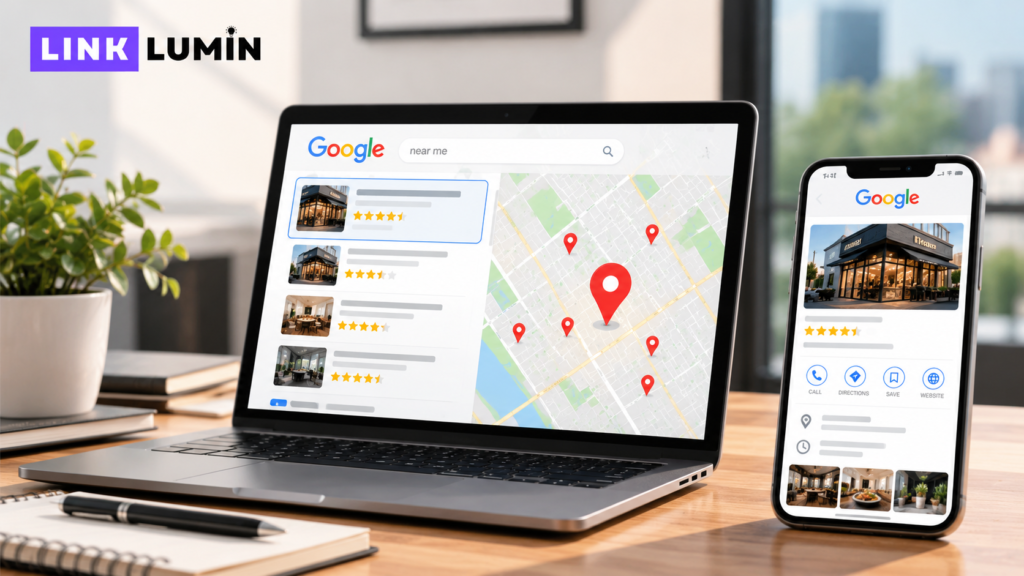
Google Business Profile is a free tool for businesses to manage their online presence across Google Search and Google Maps. For businesses with physical locations, it is the primary surface that determines whether a location appears in local search results and the Google Maps local pack.
For multi-location Ontario businesses, each address needs its own verified Google Business Profile. Local SEO relies on relevance, distance, and prominence as ranking factors — and Google evaluates each location independently. A single profile cannot represent multiple addresses. Each location competes in its own local map pack, earns its own reviews, and ranks based on its own signals. A new location in Markham does not inherit the authority or review history of an established location in Mississauga.
Google Business Profile is essential for businesses with physical locations to enhance discoverability. Using specific business categories helps Google understand service offerings better, and maintaining accurate business information across platforms enhances local SEO at every location.
How Do You Add Multiple Locations to Google Business Profile?
What Is Business Profile Manager and When Should You Use It?
Business Profile Manager is Google’s central dashboard for managing all your Google Business Profile listings from one account. It is where you add new locations, update business information, respond to reviews, and monitor performance across every profile — without logging into each listing individually.
Businesses with ten or more eligible locations can apply for bulk verification through Business Profile Manager, submitting all listings for review at once using a completed location spreadsheet. Bulk verification is available only for businesses where customers visit in person during stated hours; service area businesses without a customer-facing address at each location must verify individually.
Each location requires verification before it appears publicly on Google Maps and Google Search, whether done individually or through the bulk process.
What Is a Business Group and How Does It Help Manage Locations?
A Business Group is a way to organize multiple Google Business Profile listings within Business Profile Manager. It lets an account owner share management access to a set of profiles — granting owner, manager, or limited access roles to team members or agency contacts — without sharing login credentials.
Business Groups let team members update specific locations, respond to reviews, or publish Google Posts without touching every listing in the account. For Ontario businesses running locations across different cities, this structure keeps management organized as the number of profiles grows.
What Are the Most Common Setup Mistakes When Adding a New Business Location?
The single most damaging mistake when a GTA or Ontario business adds a second or third Google Business Profile is treating the new listing as a copy-paste of the existing one — same description, same photos, same service details — or as a service-area expansion within the same metro rather than a genuinely distinct location.
Google evaluates each listing on its own merits. A new location that shares identical content with an existing profile sends weak local signals and risks being filtered or suppressed in local search results. Each location needs unique content to avoid duplicate issues and to rank independently.
A properly set up new business location has its own:
- Unique business description written for that specific address and community
- Location-specific photos of the actual premises, staff, and neighbourhood context
- Dedicated landing page on the website that matches the GBP listing
- Address, phone number, and hours that reflect that location’s actual operation
- Business category selections based on what that specific location offers
The new listing should be treated as a new business that happens to share a brand — staffed, locally anchored, and distinct in every detail Google uses to evaluate local relevance.
Can Ontario Businesses Use a Virtual Office or Coworking Address for a GBP Listing?
Google’s guidelines require that a business location listed on Google Business Profile be a place customers can visit during stated hours and where the business maintains a staffed presence. A virtual mailbox or hot-desk coworking address does not meet that standard.
For Ontario businesses, using a virtual office or standard coworking address for a GBP listing almost always creates more long-term risk than ranking benefit. Google regularly reviews and suspends listings at addresses associated with virtual offices and shared coworking spaces — particularly when multiple businesses list the same address. A suspended listing loses all accumulated reviews and local ranking history.
The exception is a dedicated, private office within a coworking building that the business staffs with its own employees during stated business hours. If the space functions as a real, staffed office and customers can visit by appointment, it meets Google’s requirements for a staffed office. The key distinction is whether a customer arriving at that address during listed hours would find a business representative — not a shared reception or empty desk.
For Ontario businesses wanting to expand local search visibility into a new city without a physical office there, the right approach is a service area business listing from an existing verified address, not a new listing at a virtual location. See the guide to service area pages for Toronto businesses for how this works in practice. A service area business can define its coverage area on Google Maps without displaying a street address — avoiding the risks of listing an address that does not meet Google’s requirements.
How Do Reviews Work Across Multiple Business Locations?
Each location builds its own review history on Google. Reviews left for one location do not transfer to another — each Google Business Profile accumulates its own ratings, review count, and response history independently. Each location’s reviews influence its local search ranking separately.
Positive reviews boost online reputation and attract new customers to that specific location. Responding to reviews shows commitment to customer service and signals activity to Google — Google Business Profiles with recent reviews rank higher in searches. Automating review requests improves collection consistency across all locations, particularly when managed centrally through Business Profile Manager.
A new business location starting from zero reviews is at a ranking disadvantage relative to established local competitors. Building review volume at each address is part of making a new location genuinely competitive in its own local market. Integrating Google Business Profile with email marketing — sending location-specific review requests to recent customers — is one of the more consistent ways to build review volume across multiple locations without relying on staff to remember to ask.
How Do Google Posts Help Each Additional Location’s Visibility?
Google Posts are updates published directly to a GBP listing — promotions, events, service announcements, or seasonal content that appears on the business profile in Google Search and Google Maps. Using Google Posts can drive traffic and increase conversions at the location level. Integrating Google Business Profile with social media extends the reach of location-specific updates beyond the GBP listing itself.
For multi-location businesses, posts should be location-specific rather than identical across all listings. A post about a promotion running at the Mississauga location is irrelevant to a customer finding the Markham listing. Location-specific posts signal to Google that each profile is actively maintained, and regular updates on Google Business Profile enhance online visibility at each address.
High-quality photos also contribute — adding real photos of the specific location, team, and services attracts customers and strengthens the profile’s credibility. Each listing should have its own photo set, not shared images from the main location.
How Do You Gain Insights on Each Location’s Performance?
Google Business Profile insights help track marketing performance at the location level. Each profile provides data on searches, views, and customer actions — including website clicks, direction requests, calls, and messages — broken down by location.
For multi-location Ontario businesses, reviewing insights by location identifies which profiles are performing well and which need attention. A location with low direction requests relative to its profile views may have an address problem or be in a category mismatch. A location with strong views but low call volume may need a clearer phone number, stronger hours information, or a more specific business description that matches what local customers are searching. Tracking these signals monthly across all locations gives a clear picture of where to focus work.
Businesses can gain insights on customer interactions through Google Business Profile analytics without third-party tools — the native dashboard covers the core performance signals for each listing independently.
How Do You Maintain NAP Consistency Across Multiple Locations?
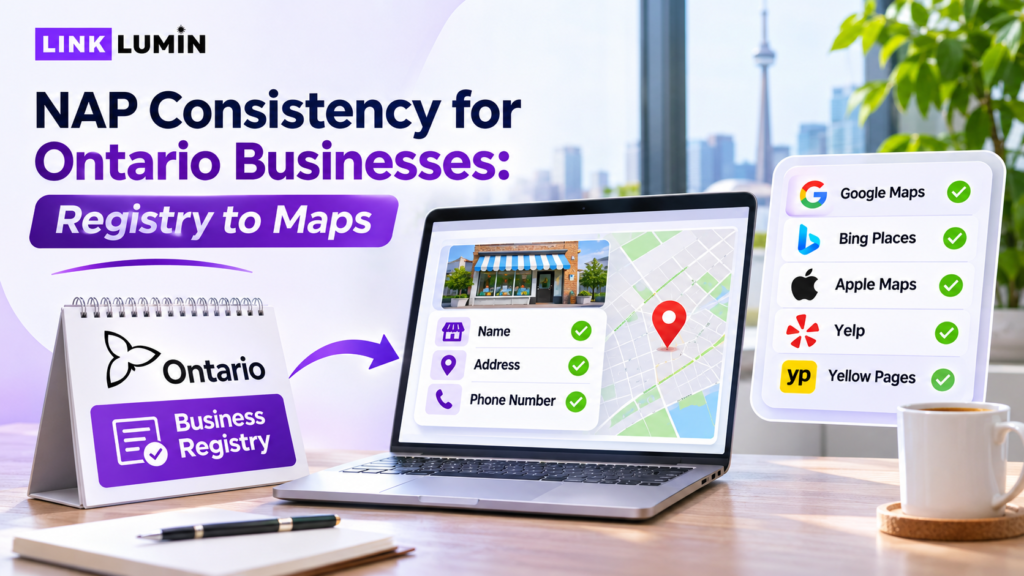
NAP consistency — identical name, address, and phone number across every platform — is a baseline requirement for multi-location local SEO. For a full guide to getting this right across Ontario directories, see NAP consistency for Ontario businesses. Each location needs its own canonical NAP that is used without variation across the GBP listing, the website landing page, local directories, and any other platform where that location appears.
Multi-location businesses commonly introduce NAP errors when updating one platform but not others — changing a phone number on the GBP but leaving the old number on the website, or abbreviating an address differently across directories. These inconsistencies split citation authority and reduce Google’s confidence in the accuracy of each listing.
The practical fix is a master NAP record for each location — the exact name, full address, and primary phone number — maintained in a central document and used as the reference for every listing update. Any change to one location’s NAP must be applied across all platforms where that location appears. For Ontario businesses with locations in multiple cities, this matters especially when local area codes differ: Google recommends using a local phone number on each GBP listing, since a local area code signals geographic relevance to both Google and the customer searching.
Frequently Asked Questions
What Is Google Business Profile and How Does It Work for Multiple Locations?
Google Business Profile is a free tool that lets businesses manage how they appear on Google Search and Google Maps. Each physical location requires its own profile with a verified address. Business Profile Manager is the central dashboard for managing all profiles; Business Groups let you organize listings and share team access within that dashboard. Businesses with ten or more eligible locations can apply for bulk verification to streamline the process.
What Is a Business Group in Google Business Profile?
A Business Group is a way to organize Google Business Profile listings within Business Profile Manager. It lets account owners share management access to multiple profiles without sharing login credentials, assigning owner, manager, or limited access roles to team members or agency contacts — keeping control organized as the number of managed locations grows.
What Makes a Strong Google Business Profile for a New Location?
A strong Google Business Profile for a new location has a verified address, a unique business description written for that specific area, location-specific photos, accurate hours, and a dedicated website landing page. The business category, services listed, and phone number should all reflect what that location specifically offers — not a copy of the main location’s details.
How Do Google Posts Support Additional Locations in Local Search?
Google Posts published to a specific location’s profile appear on that listing in Google Search and Google Maps. Location-specific posts signal active management and can drive traffic and conversions at the branch level. Each location should maintain its own posting schedule with content relevant to its local market rather than sharing identical posts across all profiles.
How Does Google Maps Treat Each Business Location Independently?
Google Maps displays each verified business location as a separate entity with its own pin, reviews, photos, and profile details. Rankings in the Google Maps local pack are determined independently for each location based on that listing’s relevance, proximity to the searcher, and prominence signals — including reviews, citations, and backlinks pointing to that specific location’s web presence.
Manage Your Ontario Locations With Confidence
Link Lumin helps Ontario businesses set up, verify, and optimize Google Business Profiles across multiple locations — from the first listing to a full multi-location local SEO strategy. Contact Link Lumin to discuss your location setup — or call (647) 699-2555. You can also reach the team at contact@linklumin.com.
61 Alness St Unit 226, North York, ON M3J 2H2