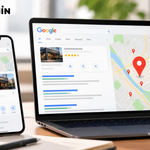




Adding Google reviews to your website displays verified customer feedback directly on your own pages — giving potential customers the social proof they need to make confident decisions without leaving your site. This guide is for Ontario business owners and marketing managers who want to display Google reviews, choose the right widget, place reviews where they convert, and avoid the mistakes that undermine their credibility.
Key Takeaways
- Embedding Google reviews on your website adds verified social proof — potential customers can read what others experienced without leaving the page.
- Recency and placement matter most for conversions: reviews placed in context, near a relevant call to action, outperform a generic testimonials section.
- Free Google reviews widgets let you display reviews without a Google API key or technical setup — most take under ten minutes to install.
- Displaying the full range of genuine reviews builds more credibility than aggressive star-rating filters; a mix of ratings reads as authentic to informed visitors.
- Fake reviews carry public penalties on Google and legal exposure under Canada’s Competition Bureau — only authentic reviews belong on your site.
Why Do Google Reviews on Your Website Build Customer Trust?
Google reviews are public ratings and written feedback posted to a business’s Google Business Profile. When displayed on your own website, they carry a credibility that marketing copy cannot replicate — potential customers know they come from real people who chose your business before them.
Research on consumer behaviour consistently shows that most people read reviews before contacting a service business. Displaying reviews removes a step — potential customers can read what others say without leaving the page. For Ontario businesses competing in local markets, that convenience matters: a visitor who finds social proof directly on the site is more likely to contact the business than one who leaves to search for it elsewhere.
A strong review profile serves as social proof for potential customers. It signals that the business is active, that other customers found value in what it offers, and that the experience is predictable. For Ontario businesses competing in local markets, displaying Google reviews builds the same kind of trust that word-of-mouth once required months or years to establish.
Negative reviews, handled correctly, also add credibility. A profile with nothing below five stars reads as curated or artificial to informed visitors. Authentic reviews — including the occasional three or four-star entry with a thoughtful response — demonstrate that the business engages genuinely with its customer base.

How Do You Embed Google Reviews on Your Website?
Is It Possible to Display Reviews Without a Google API Key?
Yes. Most businesses display Google reviews using a third-party widget that connects to Google via its own integration — no Google API key required on the business’s side. The widget handles the connection, pulls reviews from the Google Business Profile, and renders them in the layout and style selected during setup.
Most review widgets connect to Google Business Profile and sync new reviews automatically. The installation process involves creating an account with the widget provider, connecting the Google Business Profile, selecting a layout, and copying an embed code — typically two lines of HTML — into the website’s code or a custom HTML block in a page builder. Most major website builders, including WordPress, accept this without additional plugins.
Google’s own API is an option for businesses that want fully custom review displays built by a developer, but for most small and medium Ontario businesses, a third-party widget is the faster and more practical route.
How Does a Free Google Reviews Widget Work?
A free Google reviews widget connects to a Google Business Profile and displays reviews in a chosen layout on a website. Free versions and free forever plans from most widget providers include the core features: pulling reviews, selecting a minimum star rating filter, choosing a layout, and embedding the result.
Widgets automatically sync new reviews — most within 24 to 72 hours of publication — so the displayed reviews stay current without manual updates. Manual review approval is also an option: rather than displaying all reviews automatically, the business owner approves each one before it appears on the site.
The free version typically limits the number of widgets or the number of review sources. For a business that only needs Google reviews on one or two pages, a free plan is usually sufficient. Paid plans unlock unlimited widgets, additional sources, and advanced customization options including custom CSS.
Review widget adoption has grown substantially as setup has simplified. For most small and medium Ontario businesses, displaying reviews professionally on a website no longer requires a developer or a complicated technical setup.
How Do You Choose the Right Widget Layout and Settings?
Before embedding, four settings are worth configuring deliberately rather than leaving at defaults:
Minimum star rating filter. Most widgets offer this option, but use it carefully. Filtering to show only high-rated reviews can remove content that adds authenticity — a profile with nothing below five stars reads as curated or artificial to informed visitors. In the US, the FTC explicitly prohibits businesses from hiding or suppressing negative reviews; in Canada, displaying a selectively filtered review set risks misleading visitors about the actual range of customer experiences. Display the full range of genuine reviews rather than filtering aggressively by star rating.
Widget layout. Options typically include a slider or carousel, a grid, a list, or a badge showing the overall star rating. A carousel works well on a homepage where space is limited. A grid suits a dedicated testimonials page. A badge or inline star rating works near a call to action. Choose the layout based on where the widget will appear and how much visual space is available.
Reviewer names and review text. Some businesses prefer to display full reviewer names and the complete review text. Others show only the star rating and a shortened excerpt. For most Ontario business websites, full review text with the reviewer’s first name strikes the right balance between authenticity and readability.
Widget colors and fonts. Most widgets support color and font customization to match the site’s design. A widget that looks out of place on a professionally designed site reduces trust rather than building it.
Where Should You Display Google Reviews for Maximum Impact?
Placement is where most businesses leave conversion value behind. The most common mistake is collecting reviews into a single generic testimonials section — often in the footer or on a standalone reviews page — disconnected from the actual decision a visitor is making at that point on the page.
Recency and context-aware placement drive conversions more than volume alone. A review from a customer who had their home’s AC unit replaced, placed on the AC services page near the booking call to action, is more persuasive than ten unrelated reviews displayed elsewhere. The visitor can see that someone in a similar situation made the same decision and was satisfied.
Effective placements for Ontario business websites:
- Service or product pages — place a small widget or selected reviews near the page’s primary call to action. Reviews that mention the specific service or outcome reinforce the visitor’s intent.
- Homepage — a carousel or grid of recent high-rated reviews near the bottom of the hero section or above the main CTA signals credibility early in the visit.
- Contact and booking pages — a star rating badge or one to two selected reviews near the contact form addresses the last moment of hesitation before a visitor submits their details.
- Pricing pages — reviews that mention value for money or the experience of paying and receiving the service directly address the concern a visitor is working through on that page.
Reviews mentioning specific neighbourhoods also boost visibility for local searches when the page is indexed — a natural benefit of displaying recent, genuine reviews in context.
How Do You Keep Displayed Reviews Current and Authentic?
Current reviews signal active business management. Google’s local ranking documentation notes that review count and score factor into local search ranking — and visitors read recency as a signal too: a business whose most recent displayed review is two years old raises questions about whether it is still operating at the same level.
Most widgets sync new reviews automatically within 24 to 72 hours, so keeping the display current is largely a matter of continuing to earn reviews at a consistent pace. Automating review requests — through post-service emails or SMS sent shortly after job completion — improves collection consistency without requiring staff to remember to ask after every interaction.
On fake reviews: they backfire both commercially and legally. Google actively penalizes profiles in Canada, including Ontario, with public warning labels and review locks when fake or coordinated review activity is detected. A suspended or labeled profile loses the credibility the reviews were meant to generate. Beyond Google’s enforcement, Canada’s Competition Bureau treats fake and undisclosed insider reviews as deceptive marketing practices under the Competition Act — a legal exposure that far outweighs any short-term ranking or reputation benefit.
Fake reviews can lead to public penalties and demotion in search rankings. Offering incentives in exchange for reviews is also prohibited by Google. Only authentic reviews — from real customers who experienced the actual service — belong on a business profile and on a business website. Responding to reviews — including negative ones — signals active management and reliability to both Google and the customers reading the profile before making contact.

How Do Google Business Reviews Affect Local Search Rankings?
Google reviews influence local search visibility through two of the three factors Google uses for local rankings: relevance and prominence. More recent reviews signal active business management. A higher overall star rating and volume of reviews improve prominence relative to competitors with fewer or older reviews.
According to Google, review count and rating factor into local search ranking as part of prominence. Each review also contributes to the content Google reads about a business — the written text of reviews, including the services mentioned and the locations named, adds to the signals that determine local relevance. Reviews mentioning specific neighbourhoods or services help the profile appear for those specific local searches.
Displaying reviews on the website also supports local SEO indirectly. Reviews embedded on service pages provide content that reinforces the page’s topical and geographic relevance — particularly when reviews mention specific services or Ontario neighbourhoods by name.
For multi-location Ontario businesses, each Google Business Profile builds its own review history independently. Reviews earned at the Markham location do not transfer to the Mississauga profile — each location needs its own review collection strategy and its own embedded review widget pointing to that specific location’s profile.
Frequently Asked Questions
What Are Google Reviews and Why Do They Matter for My Business Profile?
Google reviews are public ratings and written feedback posted to a business’s Google Business Profile by customers who have interacted with the business. They appear on Google Search and Google Maps, influence local search rankings, and serve as the primary source of social proof for potential customers researching a business before making contact. A strong review profile with recent, high-rated feedback signals credibility and active management to both Google and website visitors.
How Do I Embed Google Reviews on My Website for Free?
The most accessible method is a free Google reviews widget from a third-party provider. Create an account, connect your Google Business Profile, choose a layout, and copy the embed code — typically two lines of HTML — into your website. Most website builders, including WordPress, accept the code in a custom HTML block. No Google API key is required. Free forever plans from most providers include enough features to display reviews on one or two pages without a subscription. Display the full range of genuine reviews rather than filtering by star rating.
Do I Need a Google API Key to Display Reviews on My Website?
Not for most common use cases. Third-party widgets handle the connection to Google through their own integration, so businesses can display Google reviews without setting up API credentials. A Google API key is required only when building a fully custom review display through direct API calls — typically a developer project rather than a standard business website setup.
How Does a Free Version or Free Forever Widget Differ From a Paid Plan?
Free versions and free forever plans typically include one or two widgets, the core layout options, and automatic syncing of new reviews. Paid plans add unlimited widgets, multiple review sources, advanced customization including custom CSS, priority support, and in some cases the ability to remove the provider’s branding. For a single-location Ontario business displaying reviews on a small business website, a free plan usually covers what is needed.
How Do I Keep All the Reviews on My Website Authentic and Avoid Fake Ones?
Display only reviews pulled directly from your verified Google Business Profile through a connected widget — do not manually add or edit review text. Display the full range of genuine reviews rather than filtering aggressively by star rating; showing only top-rated reviews risks misleading visitors about the actual range of customer experiences, and in the US the FTC prohibits hiding negative reviews. Never purchase reviews, offer incentives for reviews, or publish reviews from employees or affiliates without disclosure. Fake reviews carry public penalties from Google, including warning labels and review locks on the business profile, and fall under Canada’s Competition Bureau enforcement as deceptive marketing practices.
Show Your Reviews Where They Convert
Link Lumin helps Ontario businesses build local search visibility — including review strategy and local SEO that puts your Google Business Profile to work. Contact Link Lumin to discuss your review and local SEO strategy — or call (647) 699-2555. You can also reach the team at contact@linklumin.com.
61 Alness St Unit 226, North York, ON M3J 2H2