Imagine you are the owner of a growing boutique e-commerce brand based in Toronto. You’ve spent months perfecting your products, your website looks beautiful on every device, and you’ve even set up a Google Business Profile to appear on Google Maps Platform. However, when you look at your Google Analytics, the number of visitors is lower than you expected. You know people are searching for what you sell, but your brand is buried on the third page of the search results.
This is a common data challenge many entrepreneurs face. You have a great product, but the traffic isn’t coming in. To solve this, you need a two-pronged strategy: immediate visibility through Google Ads and long-term authority through SEO and link building.
At LinkLumin, we specialize in helping businesses bridge this gap. In this guide, we will walk you through exactly how to make ad in Google and why combining paid ads with a professional SEO strategy is the secret to increasing your revenue.
1. Setting Up Your Account
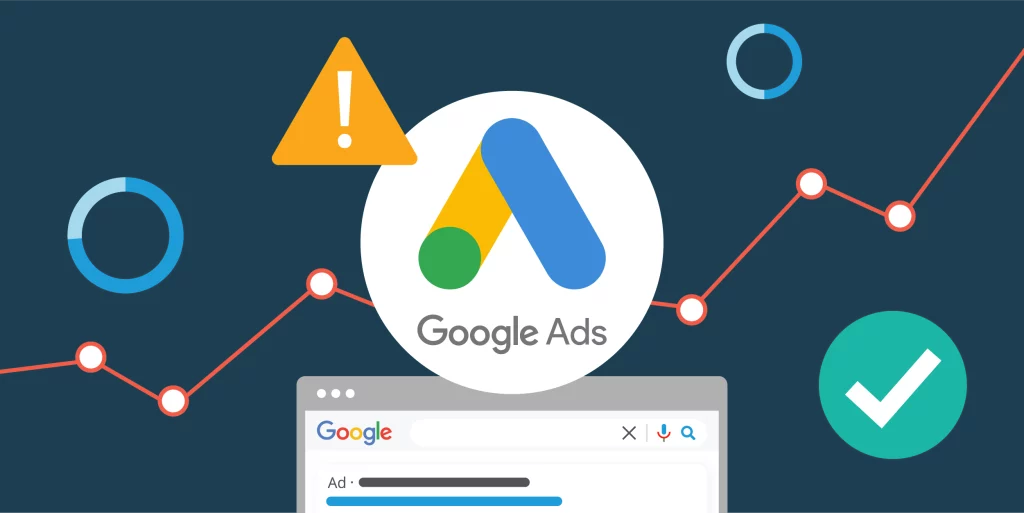
Before you can submit your first creative, you need the right foundation. Every advertiser starts by creating a Google account. This single login gives you access to a massive suite of Google advertising tools, including Google Workspace, Google Photos, and the Google Store.
To begin, you must sign in to the Google Ads platform (formerly known as Google AdWords). If you are managing multiple accounts, you might use My Client Center (MCC) or the Google Ads Editor for bulk changes. Once inside, it is crucial to link your account to Google Analytics (the premier analytics platform for site and app analytics). This allows you to monitor how visitors behave after they click your ad. You should also connect to Search Console to see how your pages are indexed and to check index coverage for any technical issues.
2. Choosing the Best Ad Type
Google isn’t just a search engine; it’s a vast ecosystem. Depending on your performance goals, you will choose a specific Campaign type:
- Search Ads: These appear on the SERP (Search Engine Results Page) when someone types in specific keywords. They are perfect for catching a customer exactly when they are looking to buy.
- Display Ads: These appear as banners on partners websites across the Google Search Network. They help with brand Reach and view counts.
- Shopping Ads: If you run an e-commerce store, you’ll use the Merchant Center to upload products so they appear as annonces shopping in the Google Shopping tab.
- Video Ads (Annonces Vidéo): These run as YouTube ads before or during a video. With Video generation tools, creating these is easier than ever.
- Performance Max: This is an AI-powered campaign that uses Google AI to automatically place your ads across Search, Display, YouTube, Lens, and Google Maps Platform to maximize customer engagement.
3. Creating Your First Campaign
You don’t want to show your ads to everyone. You need to define your Audience based on Audience insights. You can target by geographical region (like targeting only Toronto), user location, and even specific targeting parameters like interests or life events. In the modern era, Google is moving away from third-party cookies, focusing more on privacy-safe ad preferences and My Ad Center.
Keywords are the bridge between a user and your business. Use the URL Inspection tool to see what your site currently ranks for and find new opportunities. Equally important are negative keywords. These prevent your ad from showing on irrelevant searches, saving you from wasting money on advertiser demand that doesn’t convert.
4. Setting Your Budget and Bids
Advertisers bid on ad space. You can choose Smart Bidding, which uses Google Cloud machine learning to adjust bids in real-time. Whether you are in the B2B market, the IT industry, or selling Pixel Watch accessories, your Quality Score (a mix of ad relevance and landing page experience) determines your cost.
Your ad headlines and call-to-action (CTA) must be sharp. Use responsive search ads to allow Google AI to test different combinations of text. If you’re feeling creative, tools like Gemini Live, Canvas, and Image generation can help you brainstorm visual ad formats.
5. Improving Your Search Ranking
While Google Ads Campaigns provide instant impressions, SEO (Search Engine Optimization) provides “free” traffic over time. At LinkLumin, we believe you shouldn’t choose one over the other.
Link building is the process of getting other reputable websites to link back to your URLs. When the Google search engine sees these links, it views your site as an authority. This helps your pages move up the search results naturally. To rank well, your site must be easy for Google to crawl and index. Using sitemaps and ensuring your layout is mobile-friendly (perhaps using AMP pages) is vital. Whether your business deals with hybrid cloud computing, hybrid IT, or hybrid cloud architecture, you need a solid Google Ads Export strategy that aligns with your organic content.
6. Using Data to Drive Sales
An integrated approach means your Google Search Ads campaign works in harmony with your social media and content. For example, if you are a company providing hyper converged infrastructure, you might release white papers to build authority. You can then use Display & Video 360 or Search Ads 360 (part of the Google Marketing Platform) to retarget people who read those papers.
Once your ads are live, you must monitor the Ads Transparency Center to see what competitors are doing and keep an eye out for fraudulent ads. Check your reports in Campaign Manager 360 regularly. If you see alerts about ad performance, it might be time to adjust for seasonality or refresh your creative content.
7. Working with Digital Experts
Managing Google Ads, Google Analytics, and SEO simultaneously is a massive undertaking. Between managing My Ad Center, adjusting for Android Auto or Google Assistant voice searches, and ensuring your Merchant Center feeds aren’t broken, it’s easy for a business owner to feel overwhelmed.
As a Head of Digital Experience, you know that every dollar counts. That is why LinkLumin takes a data-driven, results-focused approach. We don’t just “run ads”; we build customer connections. We help you navigate the complex world of publicité ciblée (targeted advertising) to ensure your revenue grows.
The LinkLumin Advantage:
- Data-Driven Decisions: We use site and app analytics to see exactly where your visitors come from.
- Fixing Technical Issues: We resolve index coverage problems and technical crawl errors.
- Safety and Privacy: We protect your brand from fraudulent ads and navigate the decline of third-party cookies.
- Expert Link Building: We build authority that lasts, helping you dominate the SERP.
8. Frequently Asked Questions (FAQ)
How much does Google Ads cost?
You decide your budget. You only pay when someone clicks your ad (PPC), and you can set daily limits to stay in control.
How long until I see results?
Ads can drive traffic immediately after approval. However, a complete strategy—including SEO—typically takes 3 to 6 months to reach maximum efficiency.
What is a Quality Score?
It’s a rating from 1 to 10 that Google gives your ads. Higher scores lead to lower costs and better ad placement on the page.
Do I need a website to run ads?
Yes. You need a landing page or website where visitors can learn about your offer or make a purchase after clicking.
Can I run ads on mobile only?
Yes. Google allows you to target specific devices, including smartphones, tablets, and desktops, to reach your audience where they are most active.
9. Conclusion: Start Your Journey
Making an ad in Google is the first step toward digital success, but mastering the entire Google Search Network requires expertise. From setting up your Google Ads to optimizing your Google Business Profile, every detail matters.
Don’t let your business get lost in the noise of the Google search engine. Whether you are looking to increase impressions, boost customer engagement, or solve a complex data challenge, the team at LinkLumin is here to guide you. We understand the Toronto market and the global B2B market, and we know how to turn visitors into loyal customers.
Are you ready to grow?
Contact LinkLumin today for a professional consultation. Let’s build a Google Ads and SEO strategy that drives real, measurable growth for your business.